The single biggest upgrade to how a keyboard feels is not the case, the keycaps, or the RGB lighting you will disable within a week. It is the switch sitting under every key, and it is also the part most buyers never actually choose. I have swapped switches through more boards than I care to count, and the pattern is always the same: people obsess over brand and never ask the one question that matters, which is what should happen when their finger pushes a key down.
The three families, and why the names matter#
Mechanical switches are sorted into three broad families based on what you feel and hear during a keypress. Everything else, from spring weight to housing material, is a variation on these themes.
- Linear switches move straight down with no interruption. Smooth from the top of the travel to the bottom, no bump, no click. Think of pressing into a stiff sponge.
- Tactile switches include a small bump partway through the press. You feel a resistance and then a release, which signals that the key has registered without needing to bottom out.
- Clicky switches add an audible click to that tactile bump, usually produced by a separate click mechanism inside the housing. Loud, deliberate, and divisive.
The colour-coding you see everywhere (reds, browns, blues, and their many cousins) is a loose convention, not a law. Broadly, reds trend linear, browns trend tactile, and blues trend clicky, but a "red" from one manufacturer can feel nothing like a "red" from another. Never buy on colour alone. Read the actuation force and the switch type, not the marketing swatch.
Linear switches: smooth and quiet-ish#
Linear switches are the default recommendation for gaming, and for good reason. Without a tactile bump interrupting the downstroke, rapid repeated presses feel consistent and predictable. When you are counter-strafing or spamming an ability rotation, that uniformity genuinely helps, because every keypress feels identical to the last.
What people underestimate is how much the spring weight changes the experience. A light linear around 45g of actuation force feels feathery and fast, which is great for twitch shooters but easy to trigger by accident if you rest your fingers heavily. A heavier linear in the 60–70g range gives you more of a cushion and fewer misfires, at the cost of a little fatigue during long sessions.
Who linears suit#
- Competitive FPS and fighting-game players who value speed and consistency
- Anyone who types in a shared space and wants a relatively quiet board
- Builders who plan to lube their switches, since linears reward lubing more than any other type
The caveat: linears give you no feedback that a key registered other than the sound of it bottoming out. If you are a heavy typist prone to typos, that lack of a signal can hurt accuracy until you adjust. Many people never fully adjust, which is exactly why the next family exists.
Tactile switches: the sensible all-rounder#
If I could only recommend one switch type to someone who does a bit of everything, it would be a tactile. The bump gives your fingers a checkpoint. You learn, without consciously thinking about it, that once you feel the bump the character has been entered, so you can lift off early instead of hammering every key into the floor. Over a full working day that saved travel adds up to noticeably less finger fatigue.
Tactiles vary enormously in how sharp the bump is and where it sits in the travel:
- Early, rounded bumps feel gentle and blend into the stroke. Comfortable for long typing but subtle enough that fast gaming still feels smooth.
- Sharp, pronounced bumps near the top of the travel give a satisfying "snap" that typing enthusiasts chase, but can feel scratchy or fatiguing during rapid double-taps.
For mixed use, a moderately tactile switch is the safest bet I know of. It is quiet enough for an office, communicative enough for accurate typing, and fast enough that no casual gamer will feel held back. The trade-off against linears is real but small: in the highest tiers of competitive play, that bump is a tiny hitch some pros prefer to eliminate. For the other 99% of us, it is a feature, not a flaw.
Clicky switches: love them or leave them#
Clicky switches are tactiles with a built-in noisemaker. The click is a deliberate mechanism, and it produces that classic loud, typewriter-adjacent clack people either adore or cannot stand.
Let me be blunt about the practical reality: clicky switches are antisocial in shared spaces. On a voice call, your microphone will pick up every keystroke. A partner in the same room will notice. An open-plan office will quietly resent you. None of that is a reason to avoid them if you have a room to yourself and you love the sound, because there is a genuine joy to a well-tuned clicky board that no other type replicates.
For gaming specifically, clickies are usually the weakest choice. The click mechanism can make rapid repeated presses feel slightly less consistent, and the reset point and actuation point do not always line up neatly, which means very fast double-taps can behave oddly. If you want feedback for gaming, a tactile gives you the bump without the baggage.
How to actually decide#
Specs only get you so far. Feel is personal, and the honest truth is that you cannot fully know a switch until your own fingers have spent an hour with it. Here is the process I trust.
Match the switch to your dominant use#
- Mostly gaming, competitive: light-to-medium linear
- Mostly typing or coding: medium tactile
- A genuine mix: medium tactile, every time
- You have a private space and love the sound: clicky, and enjoy it
Pay attention to force, not just type#
Actuation force is the weight at which a key registers, and it shapes fatigue more than most people expect. If you have never thought about it, start somewhere in the 45–55g range, which suits the majority of hands. Go lighter only if you have a delicate touch, heavier only if you bottom out hard and misfire.
Buy a switch tester before a whole board#
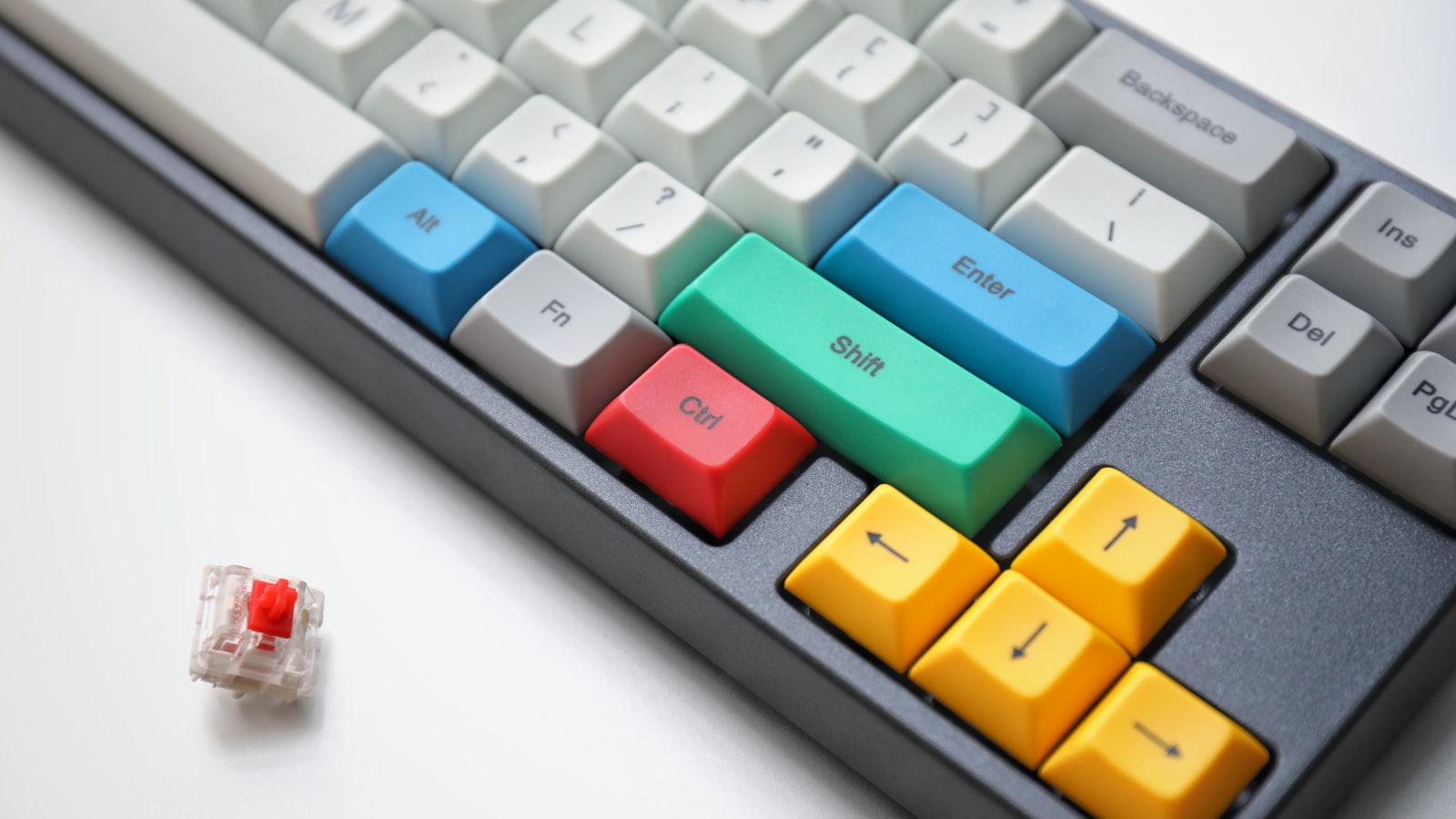
A cheap switch tester holding a handful of loose switches will teach you more in ten minutes than a week of reading reviews. Press each one. Notice which makes you smile. That reaction is more reliable than any spec sheet, because your fingers are the only judge that matters here.
Hot-swap boards change the whole calculation#
For years, changing your switches meant desoldering every one by hand, which kept experimentation firmly in enthusiast territory. Hot-swappable boards have quietly made that obsolete. These keyboards use sockets that grip each switch's pins, so you pull a switch out with a cheap puller tool and press a new one in, no soldering iron, no heat, no risk to the board.
The impact is bigger than convenience. It means:
- You can buy the board first and decide on switches later, or change your mind entirely after a month.
- You can mix switch types on one board, for example heavier switches on modifiers and lighter ones on the main cluster.
- A single keyboard can serve as your test bed for years, which makes trying an expensive boutique switch a low-stakes experiment rather than a commitment.
If you are new to this and unsure what you like, buying a hot-swap board is the single smartest move you can make. It converts an irreversible guess into a reversible one, and that changes the entire psychology of choosing. The small caveat: confirm the sockets support both 3-pin and 5-pin switches so you are not boxed out of certain models later, and reseat switches gently, since bent pins are the one avoidable way to ruin a good switch.
A note on sound and the "thock" obsession#
Newcomers often assume the switch alone dictates how a board sounds. It contributes, but the case, plate, keycaps, and any foam inside shape the acoustics just as much. Two boards with identical switches can sound completely different depending on their construction. So if you are chasing a particular deep sound you heard in a video, do not pin all your hopes on one switch. The switch sets the character; the build sets the tone. Manage your expectations, and you will avoid the classic mistake of buying a hyped switch and wondering why your board still sounds hollow.
The bottom line#
There is no best switch, only the best switch for you and what you do at your desk. If you mostly game and want speed, reach for a linear. If you type all day and want comfort and accuracy, a tactile will serve you well. If you have your own space and love the sound, embrace a clicky and never apologise for it. And if you genuinely do not know, buy a hot-swap board and a switch tester, then let your own fingers settle the argument. That hands-on hour is worth more than every spec chart combined, and it is the only recommendation in this whole guide I would give without a single caveat.